Satellite internet · Limassol and Paphos
Starlink installation in Cyprus

We install Starlink and use 1 dish to bring Wi‑Fi across your property. We place access points to cover rooms, floors and the terrace, then test coverage after installation.
Seamless Wi-Fi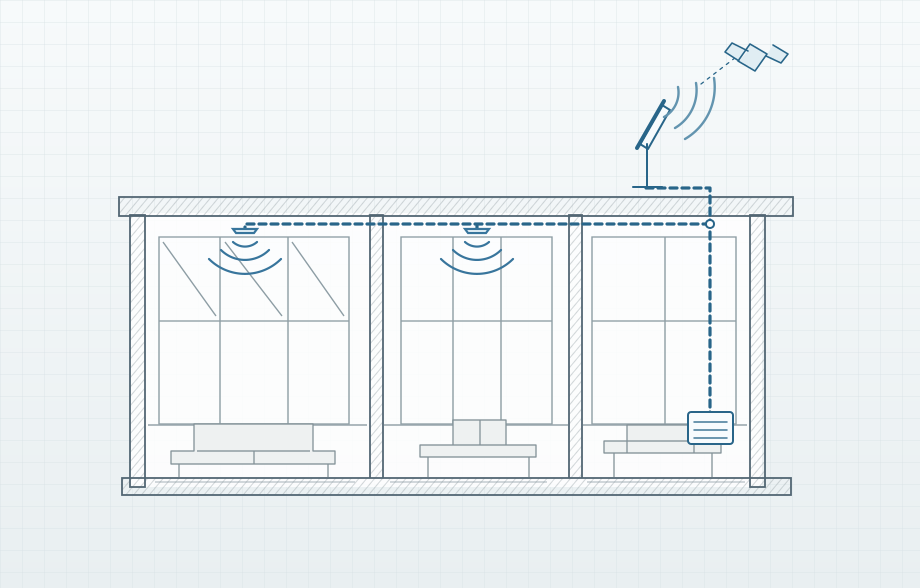
What the Starlink installation covers
Dish mounting and cabling
We find a spot with a clear view of the sky, choose a suitable roof or wall mount and route the cable indoors. We help you activate the kit in your own Starlink account.
Wi‑Fi across your property
We extend coverage beyond the supplied router with access points or connect Starlink to your existing network. Where running cable between access points is impractical and the layout allows, we set up wireless mesh.
Primary or backup internet
If you have fibre or another internet line, we can connect the 2 lines to the gateway. We configure automatic failover and test the switch back when the primary line recovers.
Starlink Standard
From the satellite dish to Wi-Fi
We find a suitable spot for the dish, run the cable to the gateway and install Wi-Fi access points indoors and out. Starlink can be your main connection or take over when fibre goes down.
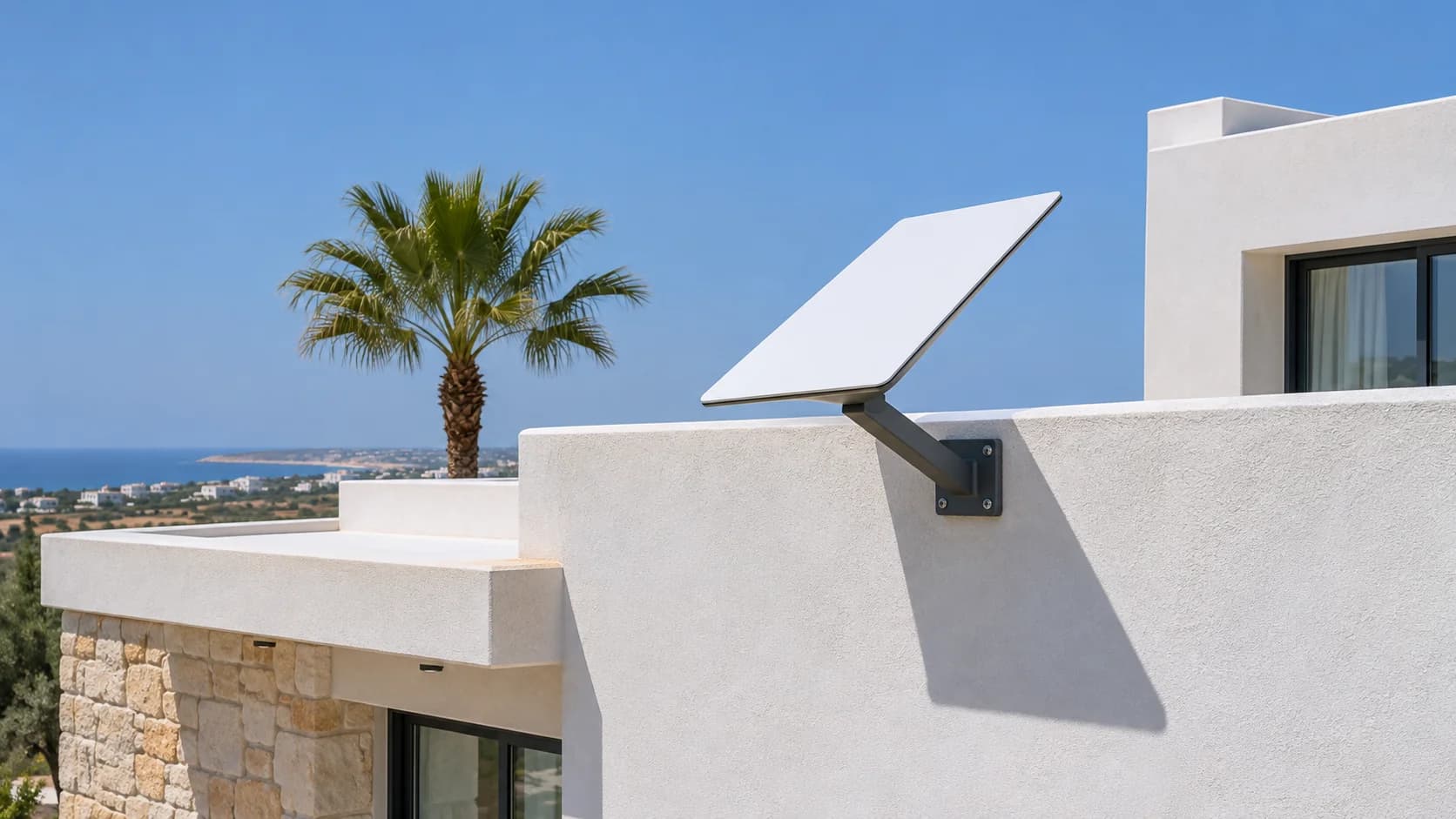
Starlink Standard 4 X
Inside the Starlink kit
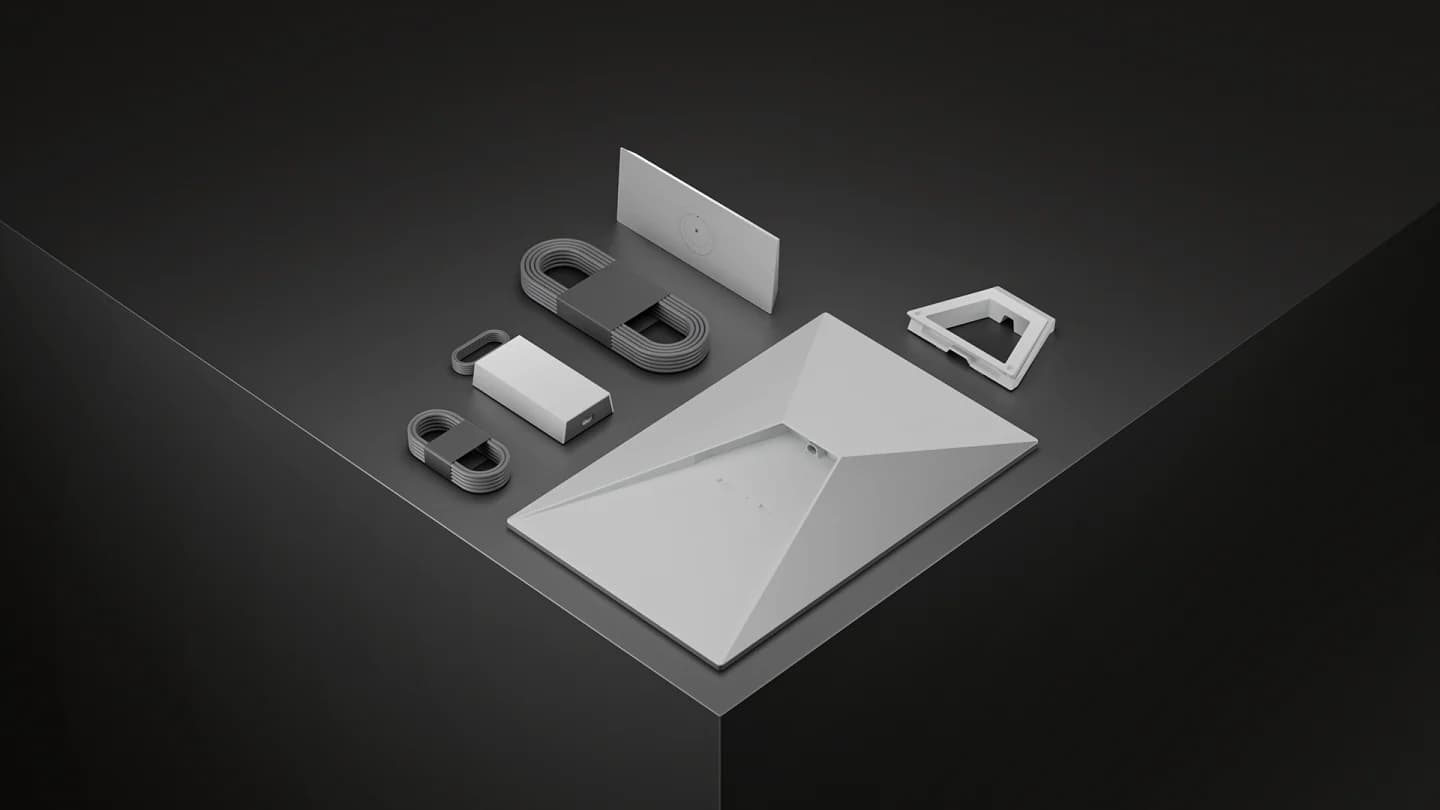
- Satellite dish
- Starlink Router 3
- Kickstand, cables and power supply
We select the kit and mount to suit the installation site.
Finding the right location for your dish
We check Starlink availability at the property and look for obstructions such as trees, parapets and neighbouring buildings. We agree the mount, cable entry, power and Wi-Fi access point locations, then check the connection and coverage after installation.
Separate network zones
The dish brings internet to the router. The ceiling access point provides Wi‑Fi and network rules keep staff and guest access separate.
Owners and staff
Internet and internal resources
Personal or work devices
Guests
Internet only
Internal network protected
How we work
Inspect
Tell us where the signal drops or share a floor plan. We check the existing router, cabling and the rooms you use.
Plan & quote
We propose access point positions, cable routes and a quote so you can approve the work.
Install
We mount and configure the equipment, then set up the networks you need.
Test & hand over
We measure signal and speed in the agreed areas, test roaming while walking through the property and show you how to manage the network.
Frequently asked questions
What determines the cost of Starlink installation in Cyprus?
Installation costs depend on the dish mount, cable route, power and Wi-Fi network at the property. The Starlink kit and provider subscription are separate items. We agree the work and quote before installation.
Can you install Starlink in Limassol or Paphos?
We work in the 2 areas. We check service availability for your address and assess whether the property has a suitable place for a dish with a clear view of the sky.
Can I keep my existing network?
Yes, if your equipment is compatible. We connect Starlink to your router so you can keep your access points and Wi‑Fi settings. We check whether your kit needs an Ethernet adapter or bypass mode.
Can Starlink back up my fibre connection?
Yes. We connect the 2 services to a compatible gateway and test failover on site. Some active sessions may drop while the gateway switches connections.
Who manages the Starlink subscription?
The subscription is in your own Starlink account. We help you activate the kit and handle the installation and on-site network setup.