WIRED NETWORKS · CYPRUS
Internet setup and structured cabling
We configure your router after the provider activates the line, then design and install the local network. We run Ethernet, fit RJ45 outlets and assemble the network cabinet. We separate access as required and configure backup internet where another connection is available.
Seamless Wi-Fi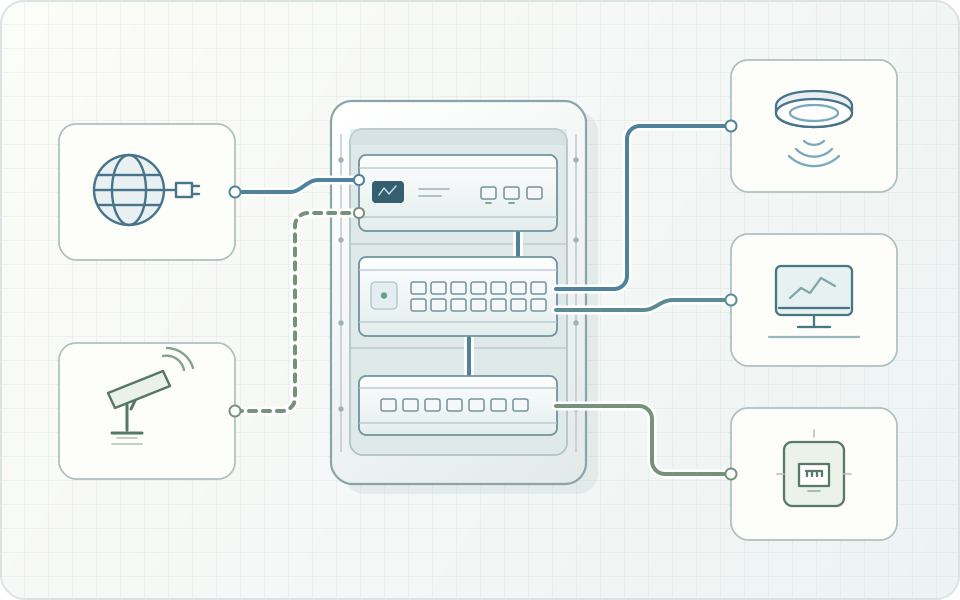
What goes into the network
Router setup and provider handoff
We check where the provider brings in the line and what equipment it uses, then agree how to connect your router. Once the line is active, we configure the gateway’s internet connection and device access across the local network (LAN).
Structured cabling and RJ45 outlets
We install structured Ethernet cabling to desks, TVs, cameras and access points. We fit RJ45 outlets, assemble the cabinet and arrange equipment power. We label cables and ports, then test the links before handover.
Separate network zones
We define access for owners, staff, guests and equipment. Guests can get internet access while printers and cameras stay reachable only by authorised users.
Backup internet and Dual WAN
With 2 available connections, we configure Dual WAN failover on a compatible router. We test switching to the backup and recovery of the primary line. An active call or VPN session may need to reconnect when the connection changes.
Labelled cables, tested outlets and a network plan
We agree the provider handoff, router, network cabinet and RJ45 outlet locations. We label cable runs, test connections and leave a network plan so you can trace a link or add a device. The internet provider handles the subscription and line activation.
Separate network zones
One access point can serve several Wi‑Fi networks. Access rules decide what owners, staff and guests can reach.
Owners and staff
Internet and internal resources
Personal or work devices
Guests
Internet only
Internal network protected
How we work
Identify the network needs
We list the connections and devices, check provider options and discuss whether you need a backup.
Design the infrastructure
We agree the layout, cable routes, outlets, cabinet and access rules.
Build and connect
We install and label the cables, then connect the router, switch and devices.
Test and document
We check connections and access rules and test switchover if a backup line is in place.
Frequently asked questions
What goes into a network cabling quote?
We account for cable runs, data outlets, the network cabinet, gateway, switches and access configuration. We agree whether you need a design, installation or only equipment setup on existing cables.
Do you activate the provider line?
You arrange the subscription and activation with the provider. We can coordinate the handoff and set up your internal network once the line is active. For new builds, we can prepare the cable route and equipment space in advance.
Can I order a network design on its own?
Yes. We can provide a network plan with socket and access point locations, an equipment list and cable route requirements for your installer.
Can you reuse the existing cables and outlets?
Yes, if they are in good condition and support the speed needed. We trace the links, inspect connections and test them before deciding which can stay.
Do I need network cabling if I plan to use Wi-Fi everywhere?
Ethernet is useful for access points and devices that remain stationary. Compatible equipment can also get power over the cable, which gives you more flexibility when choosing access point locations.